


MaterialDesignThemes是将谷歌的Material Design应用于WPF界面的一套控件库。使用方便,无需修改各种控件即可使用。以下是使用方法:
一、安装Nuget包
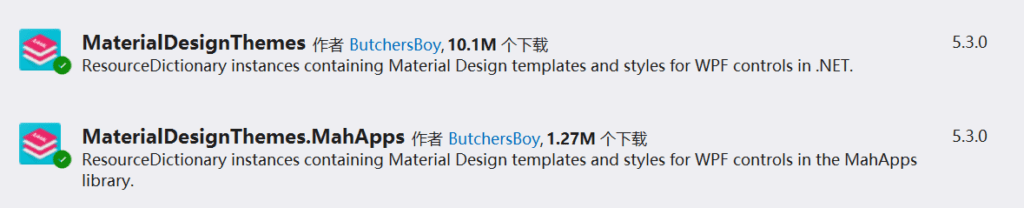
在解决方案的Nuget包管理器中,搜索MaterialDesignThemes,安装MaterialDesignThemes和MaterialDesignThemes.MahApps:
二、应用样式
打开解决方案中的App.xaml文件,修改如下内容:
<Application
  x:Class="Example.App"
  xmlns="http://schemas.microsoft.com/winfx/2006/xaml/presentation"
  xmlns:x="http://schemas.microsoft.com/winfx/2006/xaml"
  xmlns:materialDesign="http://materialdesigninxaml.net/winfx/xaml/themes"
  StartupUri="MainWindow.xaml">
    <Application.Resources>
        <ResourceDictionary>
            <ResourceDictionary.MergedDictionaries>
                <materialDesign:BundledTheme BaseTheme="Light" PrimaryColor="DeepPurple" SecondaryColor="Lime" />

                <ResourceDictionary Source="pack://application:,,,/MaterialDesignThemes.Wpf;component/Themes/MaterialDesign2.Defaults.xaml" />
            </ResourceDictionary.MergedDictionaries>
        </ResourceDictionary>
    </Application.Resources>
</Application>
在每个前端页面的xaml文件中,添加如下内容:
<Window [...]
  Style="{StaticResource MaterialDesignWindow}"
  [...] >
即可完成全局样式应用。